Run the whole job, from the first call to the paid invoice
Scheduling, quotes, invoices, timesheets and the books — in one place, configured for your trade on the day you sign up. Built for solo operators and small teams, not for enterprises with a rollout budget.
No sign-up, no email address, no card. The demo opens a real account already full of a plumbing firm’s work — and deletes itself a day later.
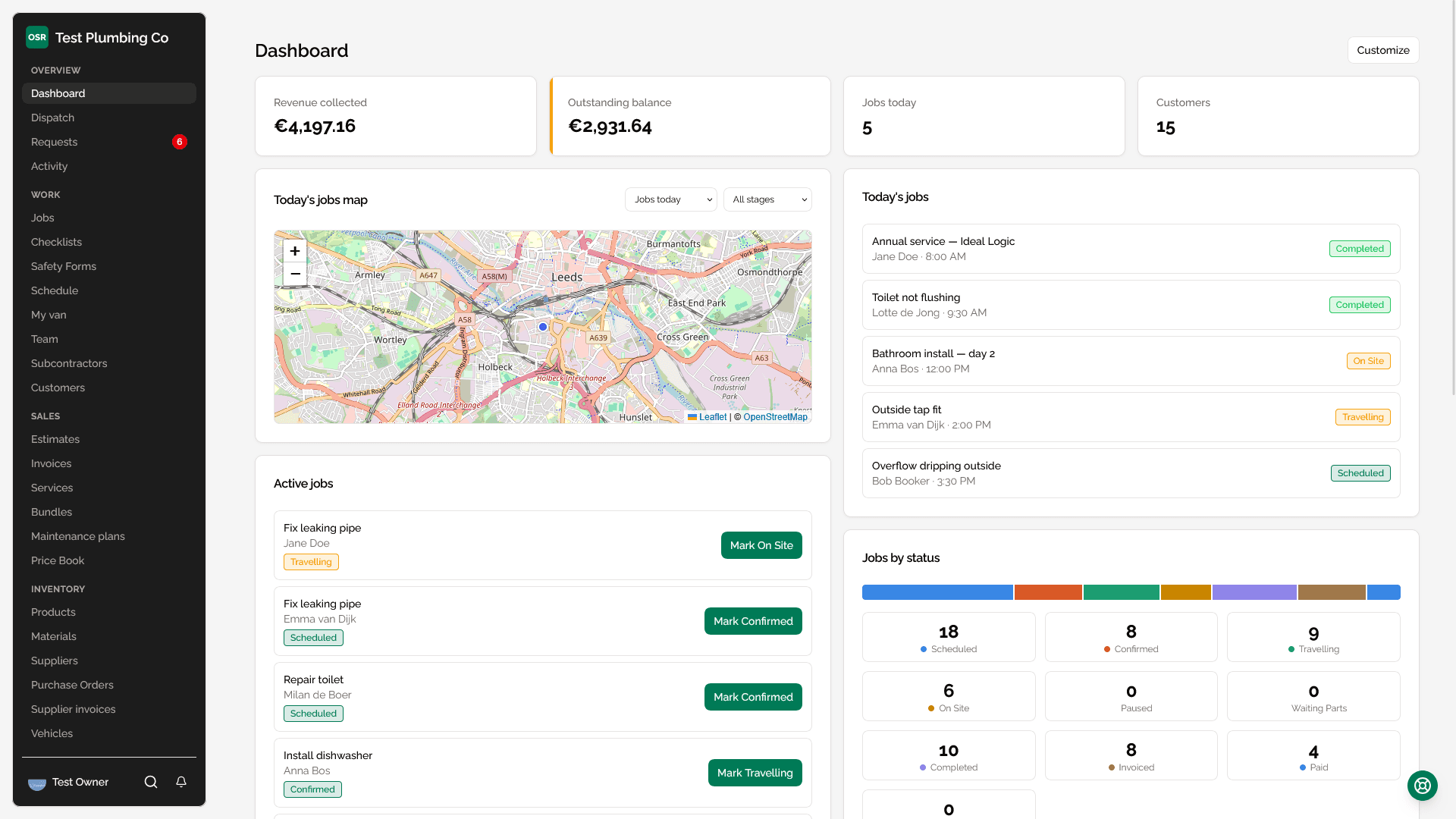
The work stops at five. The paperwork doesn’t.
Most small service businesses run on four or five things that do not talk to each other — a calendar, a notes app, a spreadsheet of hours, and an accountant who finds out in April.
The gaps between them are where the evening goes.
Quotes retyped into jobs, jobs retyped into invoices
Hours reconstructed on a Friday from memory and texts
Photos of the work spread across three phones
Turnover you can see, profit you cannot
One job, start to finish
Nothing gets typed twice, because each step is the same record moving forward.
Quote it
Build a quote from your price book, add photos of what you found, and send it. The customer approves it from a link — no account, no password.
Do it
An approved quote becomes a job on the calendar. Your engineer opens it on the phone, clocks on, photographs the work and signs it off — with or without signal.
Get paid
The job becomes an invoice with the labour and parts already on it. Chase it, take payment online, and see what the month actually made once wages and expenses come off.
A professional website, designed by you
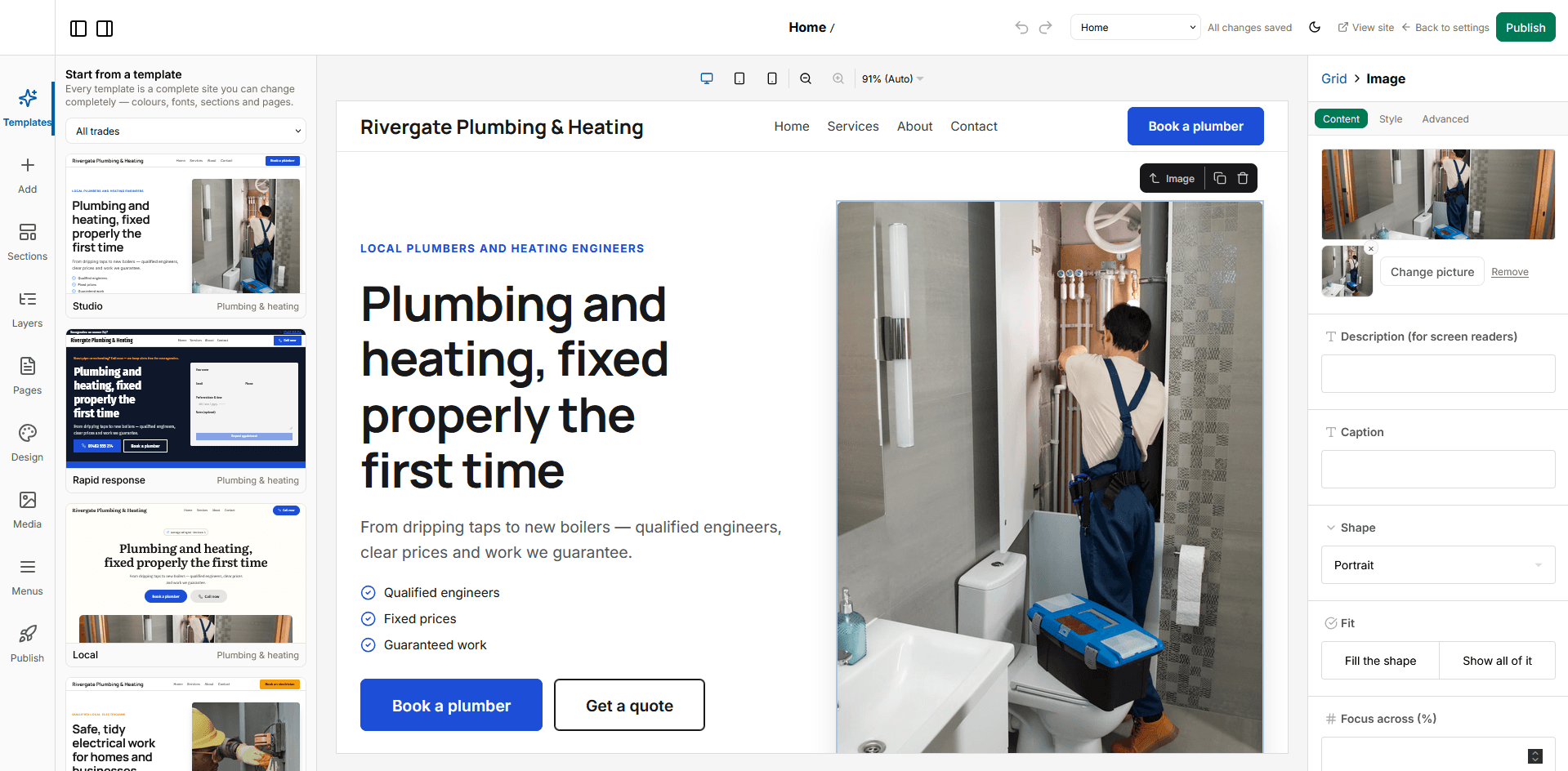
Start from a template made for your trade or a blank page, then change anything — layout, colours, fonts, every section — in a visual editor. Your services, booking form and reviews stay live from your account. No separate website bill, no agency.
- 33 professionally designed templates for 15 trades, each a complete site with copy you can publish
- Drag sections, columns and boxes anywhere, and style every element separately for desktop, tablet and phone
- A theme that restyles the whole site at once: colours, 30 fonts, type scale, corners and button style
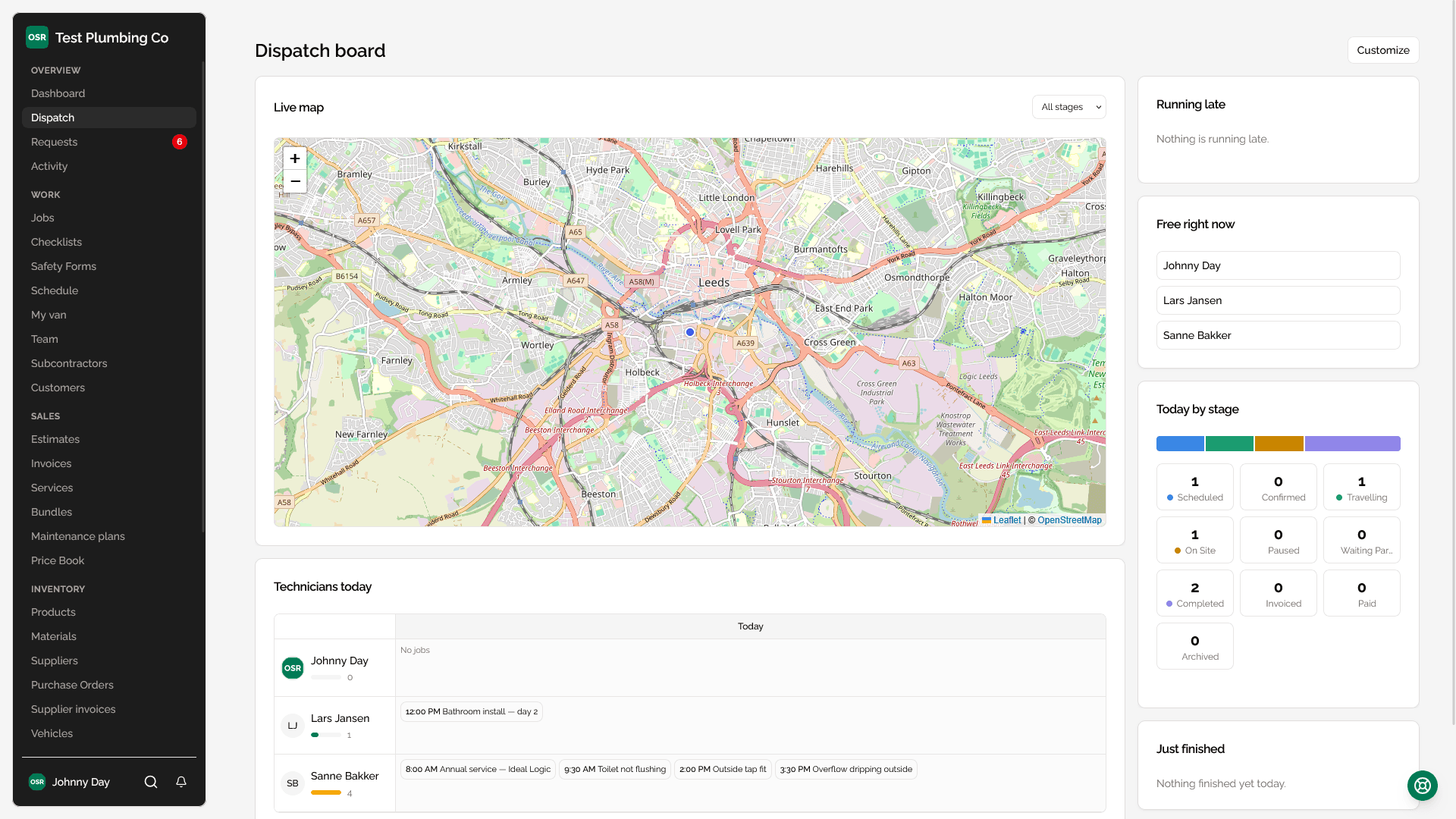
Dispatch board
The two questions a dispatcher actually has, answered on one screen: what has nobody on it, and what is running late. Everything else — the timeline, the map, the vans — is there to help you act on those.
- A queue of every job with nobody assigned, unscheduled work first
- Jobs past their start time that nobody has set off for, showing how late each one is
- Drag-and-drop reassignment across your whole crew, with automatic double-booking warnings
- Live map of technician and job locations, powered by Google Maps route optimization
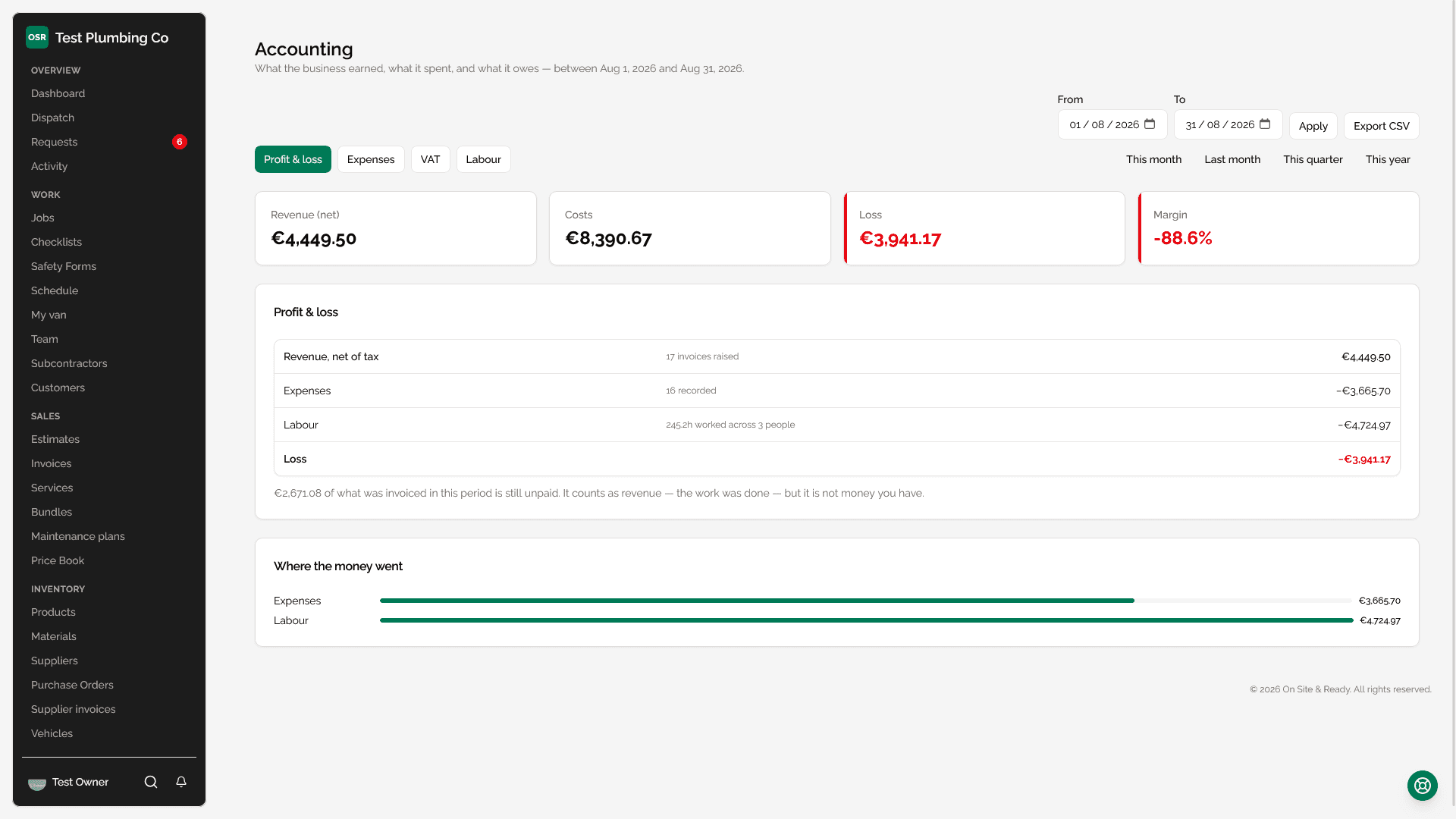
What the job cost, and what the month made
Most tools tell you what you invoiced. This one also knows what you paid out, what the hours cost, and what the taxman is owed — so the number at the bottom is profit rather than turnover.
- Profit and loss for any period: invoiced work, expenses, and the wage bill, from figures already in the system
- Expenses with the VAT recorded as printed on the supplier's invoice, and a flag for the part you cannot reclaim
- A VAT position that shows tax charged against tax reclaimable, so a return is a reading rather than an evening
An Android app that works with no signal
A real app, not a web page in a wrapper. Everything a technician does on site — the clock, photos, signatures, checklists, safety forms, notes — carries on working underground and sends itself when the van reaches the main road. Free with your account.
- Work offline: the clock, photos, signatures, checklists and notes all queue and send themselves when there is signal again
- A clock you cannot walk away from — a banner on every screen and a notification you cannot dismiss while it runs
- Optional background location while clocked in, so dispatch can see who is nearest the next call
- Optional automatic clock-on and clock-off — arriving at a job starts the shift, leaving it ends the shift at the last minute you were actually there
And everything else the day needs
None of it is an upgrade, an add-on, or a higher tier.
Estimates & invoicing
Quote a job with dynamic line items, bundles, and photos, get it approved, and convert it straight into work — then invoice and track payment through to paid.
Customer portal & online booking
Customers get a private, token-based portal to review and approve estimates and pay invoices — no account or password required. Share a public booking link so new customers can request an appointment themselves.
Scheduling & job management
A weekly calendar built around your jobs, with GPS-verified time tracking, photo documentation, and live location sharing at every stage.
A request inbox
Enquiries from your booking page, the portal and the phone land in one list, so nothing is a note on a dashboard nobody reads. Turn one into a job without retyping it.
Repeat work that books itself
Maintenance plans generate the next visit on schedule — annual boiler services, quarterly inspections — so the recurring half of the business stops depending on somebody's memory.
Automations
Rules that fire on what happens: a reminder before a visit, a follow-up after one, a review request when a job is paid. Written once, then quiet.
Import from anywhere
Bring your customers, price book, properties, fleet and job history from a CSV. We match the columns, you check them, nothing is written until you say so.
Progress payments
Bill a long job in stages. Set milestones as a percentage or a fixed amount, and turn each one into an invoice when the work reaches it.
We don’t paywall the features other tools charge extra for
Every feature is available on every paid plan — including whitelabeling. Plans scale with your team size, not your feature access.
Built for every trade
Pick your industry and get its terminology, services and workflow from day one — rather than someone else’s, renamed.
Have a look before you decide anything
The demo is a real account with a real plumbing firm’s week in it. Nothing to fill in, nothing to cancel.